With AE-MEP, designers can integrate MEP systems into Allplan in a simple and fast way, drastically reducing working time compared to traditional methods.

LICENSE: Installable on all Allplan workstations, usable up to the number of purchased licenses.
SETUP: The installation package will be provided for Allplan 2024, 2025, and 2026, together with the serial codes required to activate the license.
LANGUAGE: Available in English, German, French, Spanish, Italian, Slovenian, Croatian, and Polish.

AE-MEP offers a clear and immediate interface designed to make element configuration simple and fast. Each component can be edited intuitively, giving the designer the freedom to choose the most suitable working method.
Values can be entered directly into parametric fields for precise control, or modified through graphical grips for even faster editing directly within the model.

AE-MEP simplifies the workflow through automatic interaction between elements. During placement, each component is suggested consistently with the previous one, taking advantage of reference points and the system logic.
For example, after inserting a bend, the next element is already proposed with the correct orientation; after a reducer, the following element is automatically suggested with the most suitable section. This makes modeling faster, smoother, and more intuitive.

The new flexible conduit introduces a much simpler and more advanced working logic.
The designer can choose between a traditional polygonal mode or a new mode that develops the conduit along a spline generated from the inserted points.
The result is a freer, smoother, and more powerful modeling process, representing one of the most important new features of AE-MEP.

With the TRACE function, you simply draw a path to create pipes and bends in a simple and immediate way. The system allows paths to be developed on the XY, XZ, and YZ planes, including rotated planes, while always maintaining great ease of configuration and editing.
Alongside the traditional method, which generates individual elements that can be edited one by one, AE-MEP now introduces a new option: unified Trace, which makes it possible to create a duct made of multiple SmartParts but managed as a single editable system.
Users can therefore choose between two approaches: the traditional system, ideal for editing individual parts, or the new unified mode, designed for faster and more compact management of the entire path. In both cases, maximum control is guaranteed: even when the duct is unified, the final report still identifies, counts, and quantifies each part individually.

AE-MEP introduces in Allplan 2026 a new PythonParts command that allows the mass editing of pipe characteristics with a much higher level of control than in the past.
While previously the process was mainly limited to the attribute editor and to a smaller number of editable parameters, it is now possible to manage many more data quickly and centrally, including both descriptive and geometric properties. This is an important new feature that makes working on multiple elements even faster, simpler, and more powerful.
For Allplan 2024 and 2025, the traditional Modify Attributes method remains available.

Two new PythonParts commands, available only for Allplan 2026, take workflow speed to the next level. TraceCapture and FlexiCapture allow users to select an existing 2D or 3D polyline with one click and, with a second click, automatically transform it into a trace or a flexible conduit.
TraceCapture is designed to work on the XY, YZ, and XZ planes, handled one at a time, while FlexiCapture offers greater freedom by allowing the user to work freely in space.
A powerful and immediate new feature, designed to quickly convert existing geometric paths into AE-MEP elements ready to be edited and managed within the project.

AE-MEP provides custom reports to extract in a clear and organized way the quantitative data and information related to technological networks.
The key advantage is full control over quantities: every element is identified, counted, and verified with precision. In addition, the reports are interactive with the model: by clicking an element in the report, the corresponding component is highlighted directly in the model.
A powerful system that allows users to check, verify, and compare data with maximum immediacy, reducing errors and increasing project reliability.

Thanks to its integration with Allplan’s collision detection system, AE-MEP allows users to identify conflicts between architectural elements and MEP networks in a clear and immediate way.
Each collision is marked in the model with a dedicated 3D volume, providing practical support for checking, correcting, and coordinating the project. A key advantage for reducing errors, speeding up revisions, and improving the overall reliability of the BIM model.

Any object imported from another system or modeled by the user can become an integral part of the AE-MEP workflow.
By assigning AE-MEP-specific attributes, the custom component is integrated into the model not only from a geometric point of view, but also at an informational level. This means the object can be managed, recognized, and quantified as a true AE-MEP element, fully participating in reports and quantity control.
In this way, even non-standard elements become part of the system in a coherent way, maintaining continuity between modeling, data, and quantity takeoff.

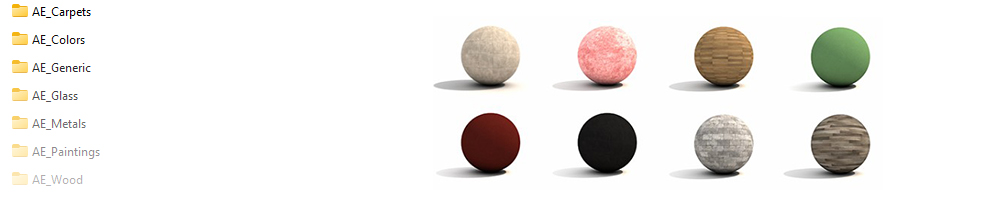
n. 415 Surfaces